
HOA Start offers communities custom e-mail addresses that match their domain. Professional Email is available when HOA Start manages your domain registration. You buy the accounts in the Email Store, then HOA Start's support team adds the DNS records that connect the new accounts to your domain.
Available Plans
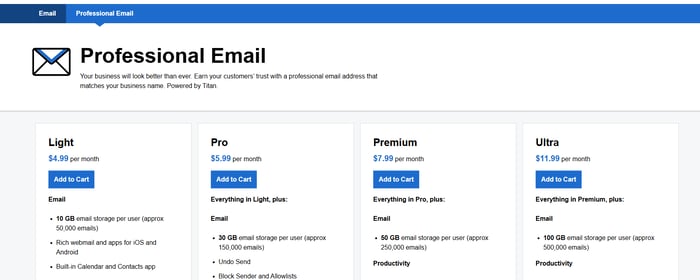
The Email Store offers four plans. Pricing is per account (per user) per month, and you can buy as many accounts as you need.
- Light: 10 GB of e-mail storage per user, webmail and mobile apps for iOS and Android, and a built-in Calendar and Contacts app.
- Pro: everything in Light, plus 30 GB of storage per user, Undo Send, Block Sender and Allowlists, and productivity and business-growth tools.
- Premium: everything in Pro, plus 50 GB of storage per user, more Smart Write and AI Summary responses, Unlimited E-mail Templates, Contact Groups, Priority Inbox, and 25 GB of Titan Drive.
- Ultra: everything in Premium, plus 100 GB of storage per user, unlimited Smart Write and AI Summary responses, Advanced E-mail Tracking, Signature Designer, E-mail Campaigns, Appointment Booking, and 50 GB of Titan Drive.
Purchase Your Accounts in the Email Store
-
Open the Professional Email Plans page to go to the Email Store. Choose a plan and click Add to Cart.
-
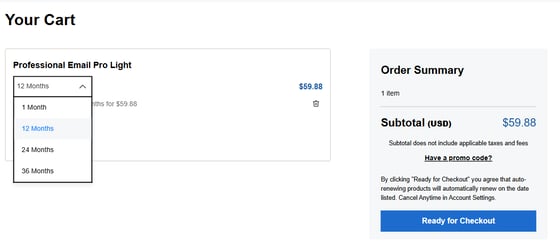
In your cart, choose the term length (1 Month, 12 Months, 24 Months, or 36 Months) and set the number of mailboxes you need. Click Ready for Checkout.
-
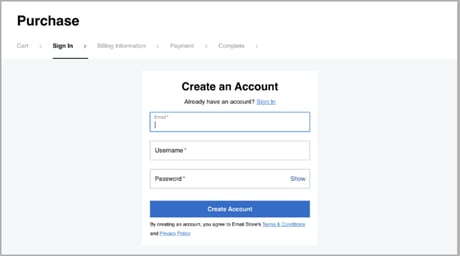
Create an Email Store account so you can log back in and manage your e-mail account settings later. Enter your e-mail address, a username, and a password, then click Create Account. If you already have an account, click Sign In.
-
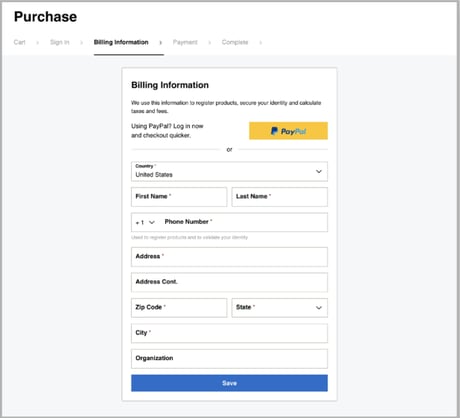
Enter your billing information and click Save.
-
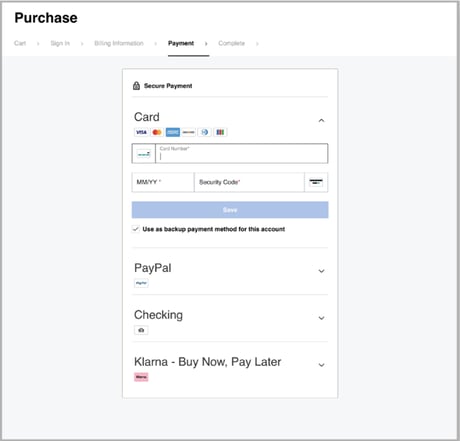
Enter your payment information.
-
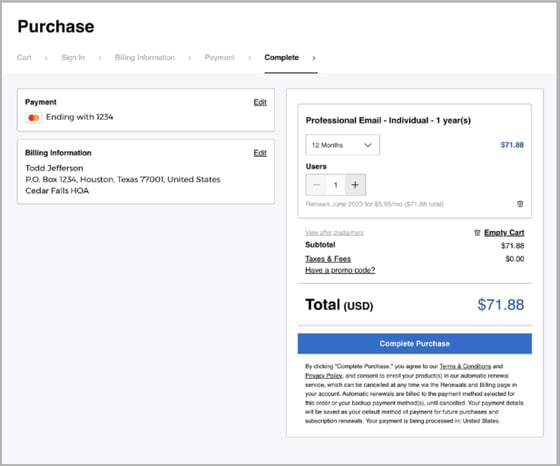
Review your purchase. If the details are correct, click Complete Purchase.
-
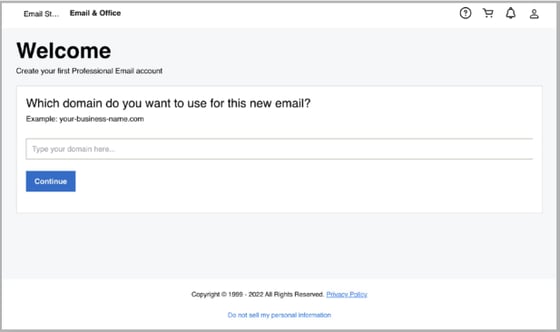
Enter the domain you want to use with your new e-mail account and click Continue. This must be a domain that HOA Start manages for you.
-
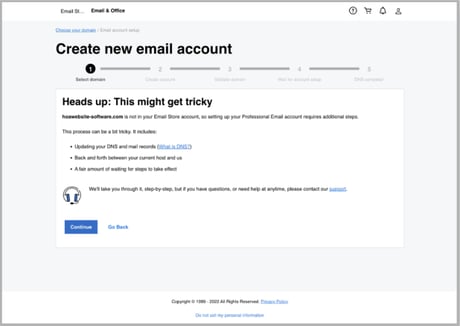
On the Heads up: This might get tricky screen, click Continue. The next steps require HOA Start's help with your domain's DNS records.
-
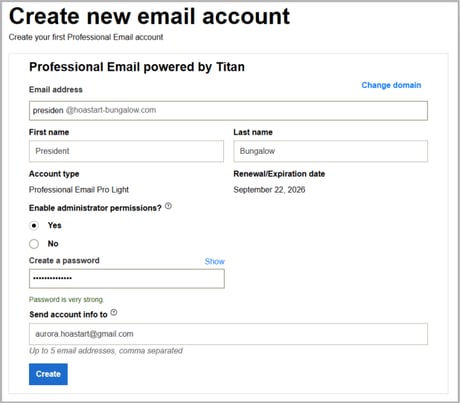
Create your e-mail account. For general questions and contact inquiries, use an address such as info@, board@, support@, or help@. For individuals associated with your community, use FirstName.LastName@ addresses. Click Create.
Connect Your Domain (DNS Setup)
-
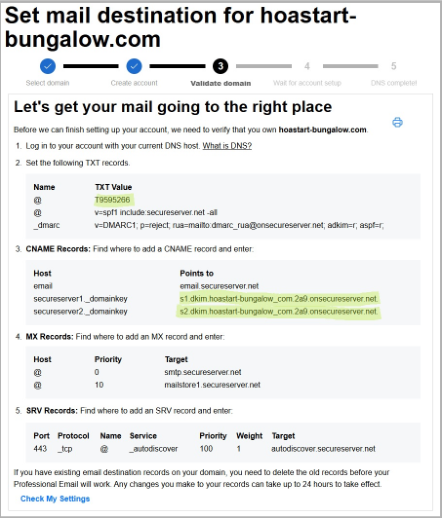
The next screen lists the DNS records your domain needs. Copy the records shown on your screen. Your records will not match the example below.
-
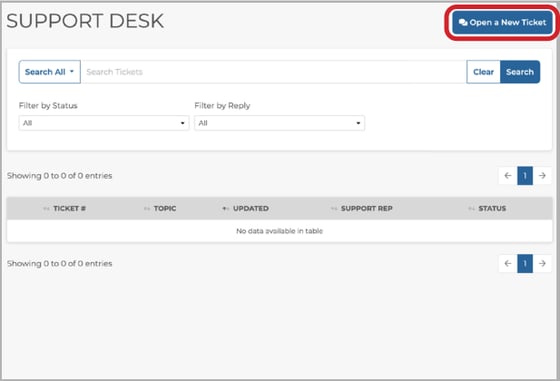
Log in to your Admin Dashboard, open the Support tab, click the Support Desk tab within it, and click Open a New Ticket.
-
Write a short message to the HOA Start support team. In the message title, say that you are ready for HOA Start to create DNS records for your new e-mail account. In the message body, paste the records you copied in step 1. HOA Start can usually complete requests received during regular business hours (8-5 M-F Eastern Time) the same day.
-
When HOA Start adds the DNS records, HOA Start replies on your support ticket. Return to the Email Store setup page and click Check My Settings. If you return later, click your avatar, select My Products, select Manage All for Email & Office, click Help me fix this, and then click Check My Settings.
-
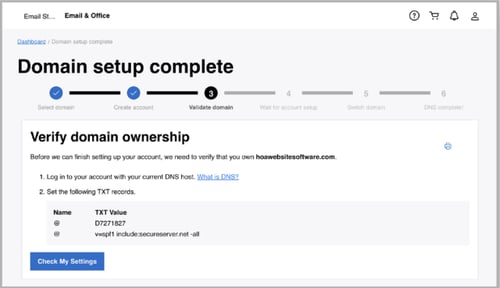
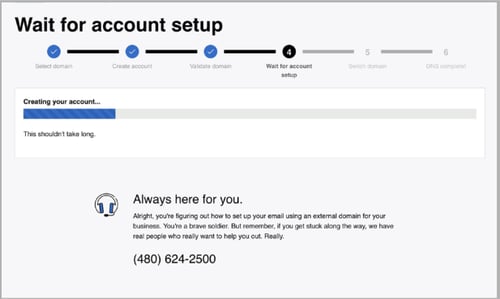
A progress bar shows while the system verifies domain ownership using the records HOA Start created.
-
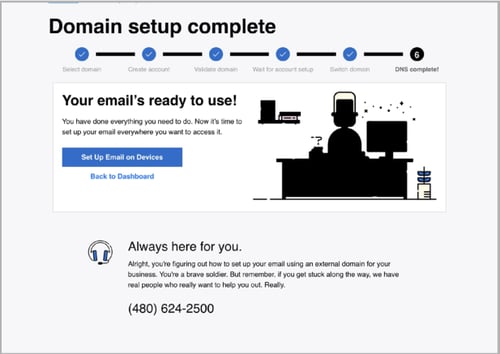
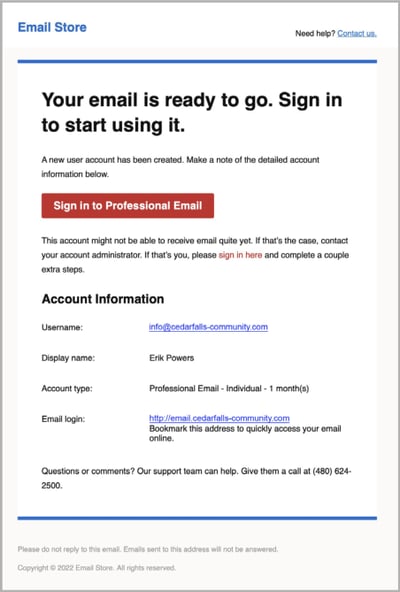
When setup is complete, the screen confirms that your e-mail is ready to use. You also receive a confirmation e-mail at the address you used for your Email Store account.
Sign In to Your New E-mail Account
-
Your confirmation e-mail includes a Sign in to Professional Email button and a link to the same place.
-
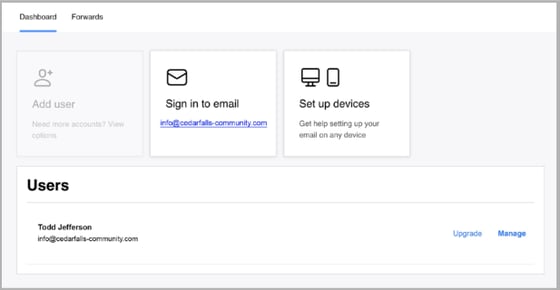
In your Email Store account, click Sign in to email to open the browser-based portal where you can write and read e-mail. Click Set up devices for mobile and desktop setup options.
Important Notes
- DNS records can take up to 48 hours to go into effect after they are created.
- To log in to your custom e-mail address without going through your Email Store account, use the Professional Email sign-in page.
- For setup steps on phones, computers, and e-mail apps, see Set up Professional Email on my phone and computer.
- To ask HOA Start about e-mail accounts before you buy, log in to your Admin Dashboard, open Account > Add-Ons, and click Request Info on the Add Professional Email Accounts tile. This opens a support ticket to your organization's Website Administrator(s).
- If you have questions about e-mail account setup or get stuck, call (480) 624-2500.